
How to Locate Hot Runner Issues in Three Steps?
问题排查17 min read
On this page
Hot runner failures occur in specific locations: nozzle tip, manifold, heating system, control system, and mold interface.
Fault location follows a "locate first, then diagnose" approach—not guesswork. Once the source is identified, the root causes become clear.
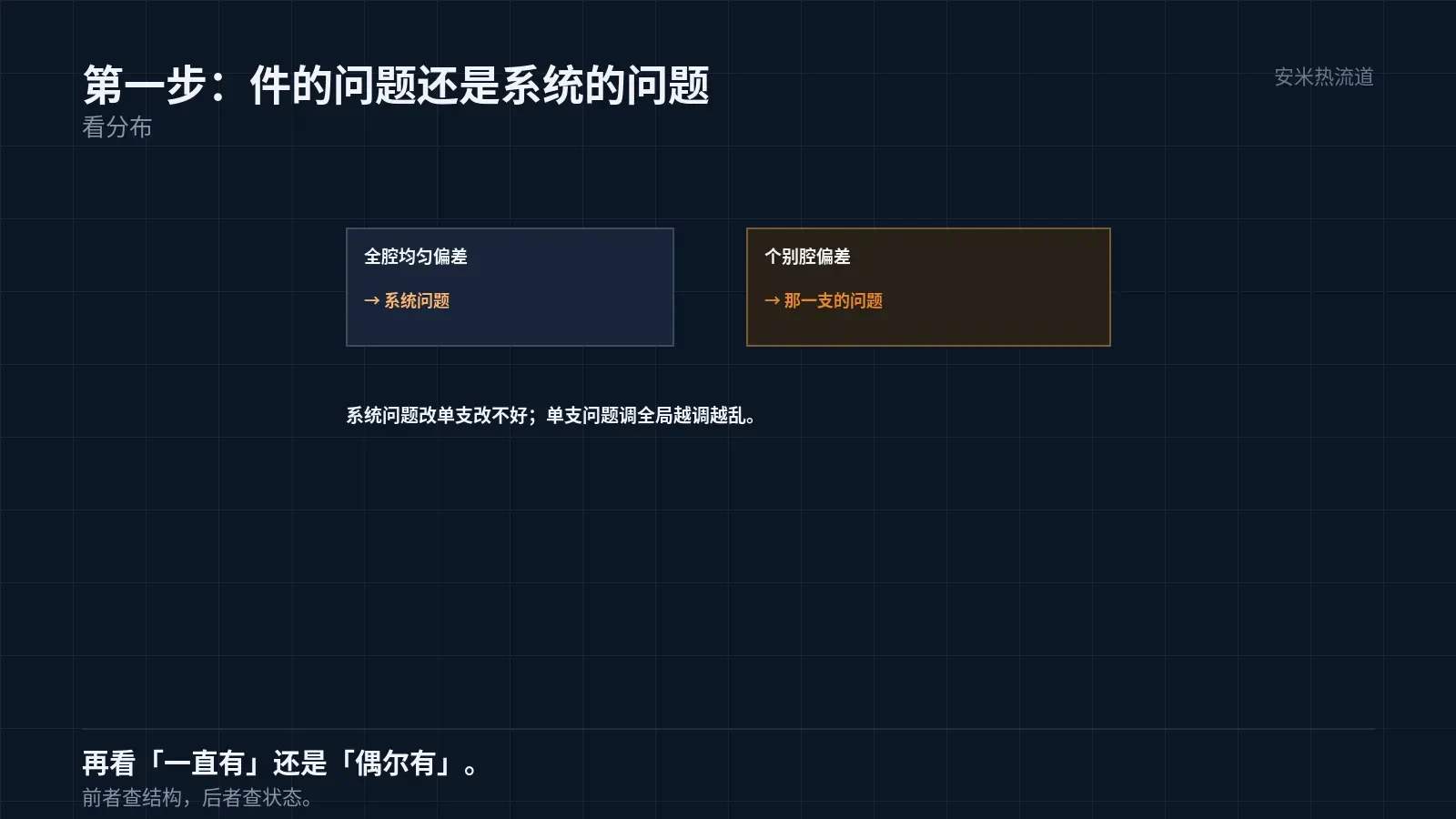
Step 1: Differentiate between "component issues" and "system issues"
Component issues involve variations in appearance, dimensions, or weight that occur inconsistently.
System issues keep recurring at the same location, in the same cavity, and during the same time window.
The distinction is simple: check the distribution. Uniform deviation across all cavities indicates a system issue; deviation in individual cavities points to that specific nozzle.
This distinction is critical. Fixing a single nozzle to address a system issue will fail; adjusting global parameters for a single-nozzle problem creates further confusion.
The most common on-site error is treating "individual cavity issues" as "global parameter issues," resulting in repeated machine adjustments that yield no results.
Individual cavity issues must be further categorized as "persistent problems in this cavity" and "intermittent problems in this cavity." The former requires structural inspection; the latter requires status inspection.
Structural issues are reproducible and resolved with a single fix; status issues vary by temperature, material, and time period, requiring investigation of fluctuation sources.
Correctly identifying this layer changes the troubleshooting approach. For the same symptom—"lighter weight in cavity 3"—the two causes require opposite actions.
Structural issues require modifying the runner or gate, then re-measuring. Condition-based issues require checking temperature logs, purge records, and downtime duration.
Another common source of condition-based issues is mold cooling water. Temperature fluctuations or insufficient flow can cause deviations in specific cavities.
Therefore, include water in your troubleshooting variables. Focusing solely on the hot runner often causes you to overlook half of the mold-related issues.
Step 3 distinguishes between static and dynamic factors, effectively separating design from operations. Remediation costs for these two categories differ significantly.
Fixing design issues is expensive and requires mold modifications. Resolving operational issues is low-cost, needing only process or parameter adjustments.
Accurate diagnosis prevents costly mold modifications to fix operational issues—a common waste on the shop floor.
Practical approach: Before modifying the mold, eliminate all operational variables first.
Elimination checklist: temperature, material, purging, downtime, and water. Discuss mold modification only after ruling out all five items.
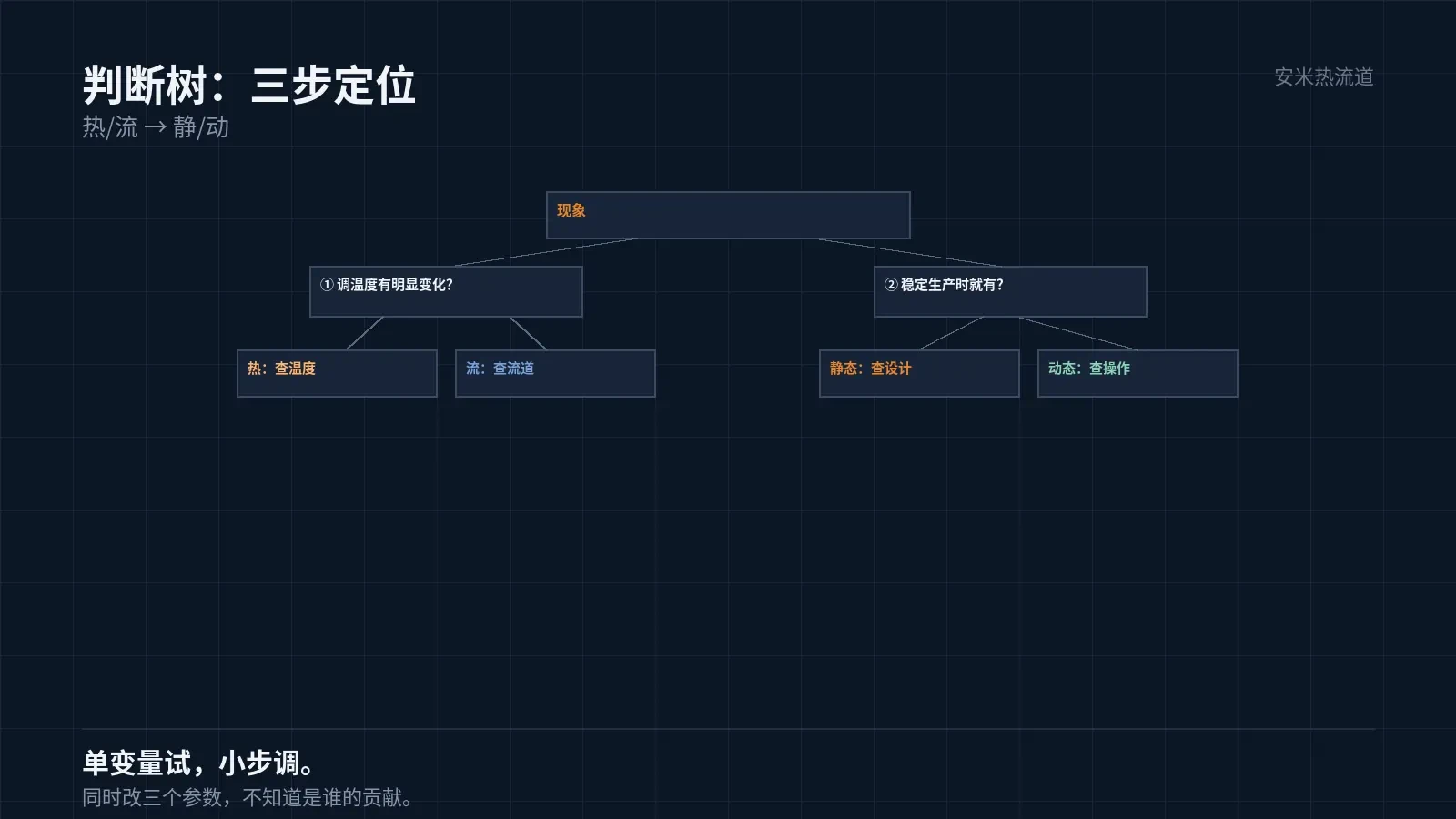
Step 2: Differentiate Thermal from Flow Issues
Thermal issues cause color changes, degradation, stringing, oozing, and surface haze. These are temperature-related.
Flow issues appear as short shots, flash, weld lines, flow marks, and weight variations. These are flow-related defects.
Differentiation relies on adjusting the test temperature. Significant changes indicate thermal issues; no change indicates flow issues.
This test must be single-variable. Adjusting temperature and pressure simultaneously prevents isolating their individual effects.
Adjust in small increments during testing. Large steps (e.g., tens of degrees) may exceed the process window and obscure the true response.
Step 3: Distinguish Static from Dynamic Issues
Static issues occur in stable production and persist as long as parameters remain unchanged.
Dynamic issues occur after startup, shutdown, material change, or mold change, but disappear during stable production.
Static issues: verify design (runner, gate, venting); dynamic issues: verify operation (heating up, machine cleaning, dwell time).
This distinction determines "what to change." Changing operations does not fix static issues, and changing design does not fix dynamic issues.
On-site dynamic issues are often treated as static ones. The problem persists after design changes because the trigger is "machine stoppage."
Common fault locations
Stringing and drooling: occurs at the "nozzle tip + heat" zone, caused by high gate temperature or failure to solidify during cooling.
Nozzle clogging: occurs at the "nozzle tip + heat zone" due to low temperature or cold material.
Short shot: Occurs at "flow + static" due to excessive runner pressure drop or undersized gate.
Black spots: Occur at the "runner + dynamic" areas due to incomplete machine cleaning or dead zones.
Dimensional drift: Classified under "thermal + dynamic"; caused by unstable temperature or uneven mold temperature zoning.
This landing table is a starting point, not a conclusion. After selecting the category, conduct detailed research specific to that area.
Investigation sequence: First verify reproducibility, then test single-variable changes, and finally confirm whether the effect of changes is quantifiable.
The root cause is confirmed only if all three conditions are met. "It worked after the change" may be coincidental.
Therefore, troubleshooting requires a verification step. Re-run production after adjustments to confirm whether the issue has been resolved or merely shifted.
Issue shifting is common: Stringing disappears but gate marks enlarge. This indicates the adjustment direction is correct, but the magnitude is too high.
A correction with excessive magnitude is the ideal type of "failure." A slight reversal achieves the target without re-evaluating direction.
Record Usage
Troubleshooting records must include four items: symptom, location, trigger conditions, and corrective actions.
Among these, "trigger conditions" are most valuable because they turn sporadic issues into reproducible ones.
Document corrective action outcomes, not just "temperature adjusted." "Temperature adjusted, stringing eliminated" and "Temperature adjusted, no change" have entirely different implications.
Accumulating these records accelerates troubleshooting for new issues, making them one of the workshop's most valuable assets.
Share the symptoms, location, trigger conditions, and current parameters. We'll verify them against our system and provide a quote upon confirmation.
MATCHED BY MATERIAL AND DEFECT
This article covers stringing, drooling, clogging, and high-heat resins; refer to SD for gate freeze and break-off.
Register for a selection review and quote
Submit part, mold, and material details. Our engineers will evaluate the gate solution per part and provide a quote.
Upload a 2D layout drawing using the form.
Online selection and quote
Scan to register